Most marketing teams have no data on how their brand shows up in AI search. Someone typed a few queries into ChatGPT out of curiosity, formed an impression, and moved on. That's not measurement, it's anecdote, and it's a shaky thing to build a strategy on.
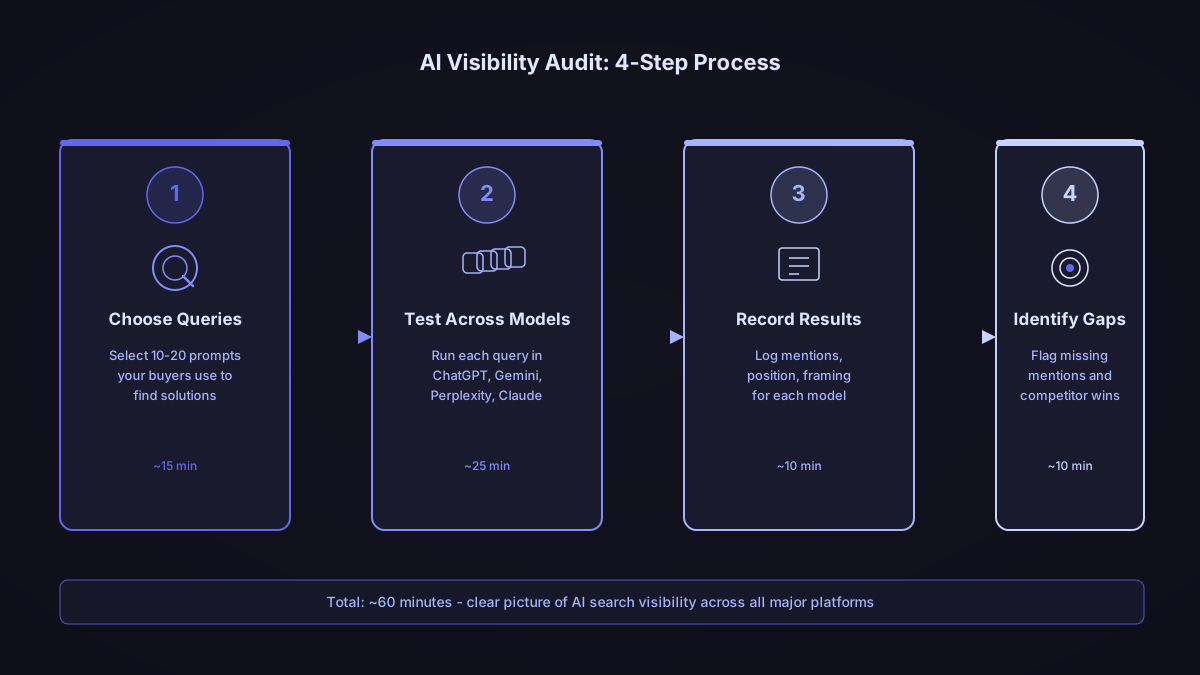
This guide gives you a repeatable process instead. In about an hour, using nothing but ChatGPT, Gemini, Perplexity, Claude and a spreadsheet, you can build a structured picture of where your brand appears, how it's framed and which sources shape those answers. It won't replace ongoing tracking, and we explain exactly why below, but it gives you a defensible starting point today, and a prompt set you can reuse every quarter.
What a manual audit actually checks
An AI visibility audit answers five questions: which prompts represent how your buyers actually ask, which assistants you check them in, whether your brand appears and where, which sources the assistant leans on, and which competitors show up in your place.
Those five map onto the steps below: build the prompt set, run it across assistants, score presence and position, then map the sources and competitors behind the answers. Treat the prompt set as the part worth protecting most. Rewrite it every time you audit and you lose the ability to compare this quarter to last quarter, which is the entire reason to do this more than once.
Step 1: Build a prompt set you can reuse
Pick 15 to 20 prompts. Fewer and you're reading a handful of anecdotes. More and the audit stops fitting in an hour. Write them the way a buyer would type them, not the way your marketing team would describe the product. A useful check: would a friend asking for a recommendation actually phrase it this way?
A prompt set that holds up across quarters covers four buyer intents. Use this as a starting template and swap in your own category and use cases.
| Intent | What it reveals | Example pattern | Prompts |
|---|---|---|---|
| Discover | Whether the assistant knows your category, unprompted | "What's the best [category] for [buyer profile]?" | 5 |
| Compare | How you're framed against named competitors | "[Your brand] vs [competitor]" or "Which is better for [use case]?" | 5 |
| Buy | What gets recommended right before a purchase decision | "How do I start [solving the problem your product solves]?" | 5 |
| Support | Whether the assistant describes you accurately once pointed at you | "What is [your brand] and who is it for?" | 5 |
Write the full list down before you run anything. This is the corpus you'll reuse next quarter, so it's worth ten extra minutes to get the wording right the first time.
Step 2: Run the prompts across the assistants that matter
Open four browser tabs: ChatGPT, Gemini, Perplexity and Claude. For each prompt, paste the identical text into all four and record what comes back.
Start each session fresh rather than running all 20 prompts in one conversation. Models build context as a conversation continues, and that context can bleed between prompts. Use the same wording every time, copied and pasted rather than retyped, so the assistant is the variable and not the phrasing. Record the first response only. Follow-up questions introduce a variable you don't want in a baseline audit.
For each response, note:
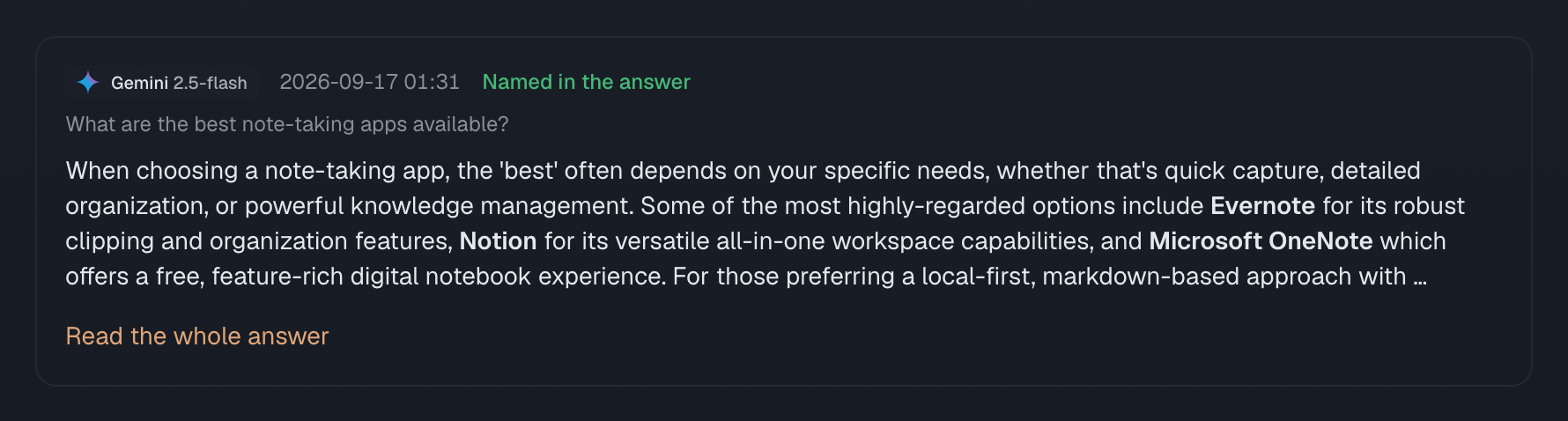
- Whether your brand is mentioned, and where in the answer
- How it's framed: recommended, mentioned with caveats, mentioned as a comparison point, or mentioned negatively
- Which sources the assistant cites, if any are shown
- Which competitors appear instead of, or alongside, you
Run each prompt in a private or incognito window if your accounts have prior conversation history involving your brand. Past conversations can influence the current session's answer, which skews the result before you've recorded anything.
Step 3: Score presence and position
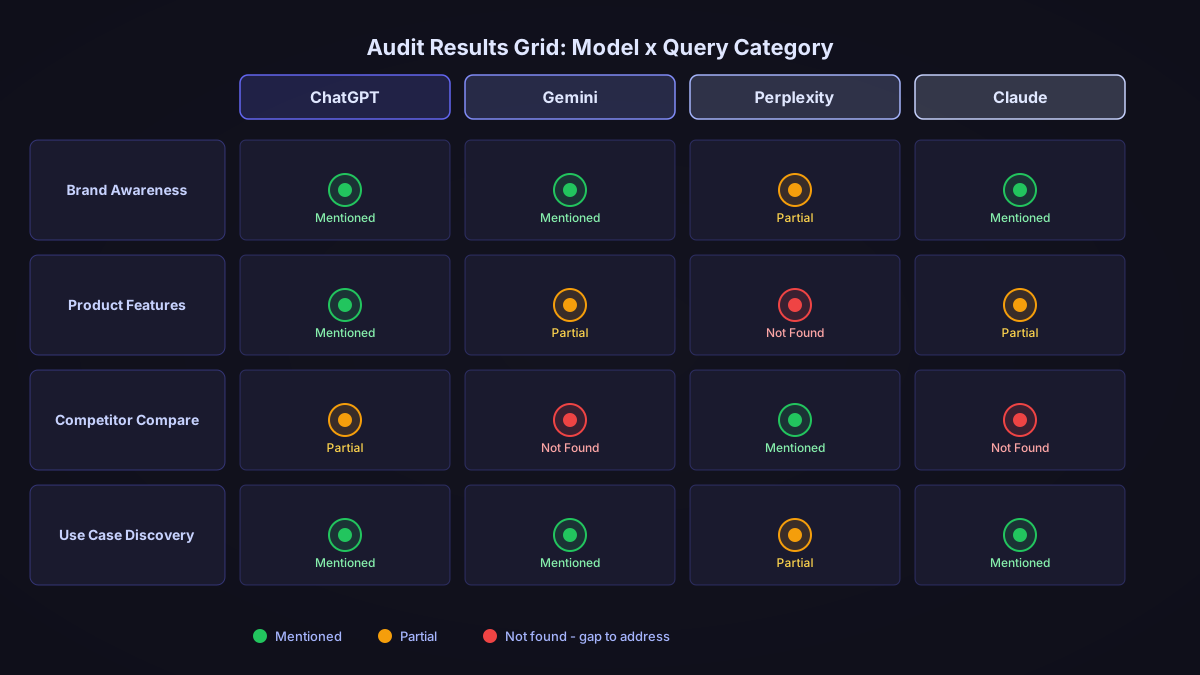
Copy this table into your spreadsheet and fill in one row per prompt, per assistant.
| Prompt | Assistant | Mentioned (Y/N) | Position | Framing | Sources cited | Competitors mentioned | Score |
|---|
Score each row on a simple scale:
- 3: mentioned in the top two positions, described accurately, recommended for the right use case
- 2: mentioned, but not in the top two, or framed with minor inaccuracies
- 1: mentioned negatively, inaccurately, or as an explicit second choice
- 0: not mentioned
Sum the scores two ways. By assistant, to see which channel is your strongest and weakest. By intent, to see whether you win discover prompts but disappear on buy prompts, which is a content-specificity problem rather than an awareness problem. With 20 prompts across four assistants, a maximum score of 60 per assistant is a reasonable scale: below 24 is weak, 24 to 40 is average, above 40 is strong for a first pass. Treat these bands as a starting point, not a benchmark, since they'll shift as you refine your prompt set.
Step 4: Map the sources and competitors behind the answers
Look at what you recorded in the sources and competitors columns. A small set of third-party sites usually shows up repeatedly across your prompts. Write down the top five.
For each one, note what kind of source it is: editorial coverage, a structural reference like Wikipedia, a review site like G2 or Capterra, a forum or community, or an analyst report. Review sites carry outsized weight in these answers. One analysis found G2 was the fourth most-cited domain across ChatGPT's sourced responses in B2B software categories, and a second found review platforms broadly are among the most common citation sources across assistants. If your top five sources include a review site where your profile is thin or outdated, that's a fast, controllable fix. An analyst report you don't currently appear in is a slower, more expensive one.
Do the same pass for competitors. Which names come up consistently across assistants, and on which intents? A competitor who dominates your buy prompts but not your discover prompts is winning on a different axis than one who's everywhere.
What to do with the result
Not every gap deserves the same attention. Rank what you found on two dimensions: how much traffic or purchase intent the affected prompts carry, and how reachable the fix actually is. A thin G2 profile is reachable in weeks. An analyst report cycle is reachable in quarters, if at all.
Write down two or three specific actions, not a vague goal. "Request 15 fresh G2 reviews from customers who bought in the last quarter" is actionable. "Improve AI visibility" is not. Pick one high-impact action even if it's slower, and one fast action even if it's smaller, so you get a near-term win alongside the real fix.
What one hour can't tell you
Every response you just recorded is one sample from a system that generates a new answer each time it's asked, rather than retrieving a stored one. Ask the same assistant the same prompt again tomorrow, from a different account or a different region, and you may get a different position, a different framing, sometimes a different set of competitors entirely. That's not a flaw in your method. It's how these models work.
Turning the hypothesis into a measurement means running the same prompt set repeatedly and reporting a range, not a single score. That's the difference between a one-hour audit and ongoing tracking: repetition, run consistently against the same corpus, is what makes the number trustworthy enough to act on.
How Whaily fits
The hour above gets you the baseline. Repeating it is where a manual audit falls over, because the prompt set has to be run the same way every time for the scores to be comparable. Whaily runs the same corpus across ChatGPT, Gemini, Perplexity and Claude on a schedule and records presence, position and cited sources for every answer, so AI visibility tracking reports a range rather than a single sample, and citation source discovery keeps the step 4 source map current between audits.