
BYOK
Use your own provider keys to run on your own terms
Add your own Anthropic, OpenAI, Google, Perplexity, DeepSeek or xAI key and your provider bills the tokens, not us, so every plan costs 40 percent less. A key also raises which models your plan can reach, within the limits of your tier.
 ChatGPT
 Claude
 Gemini
 Perplexity
 DeepSeek
 Grok
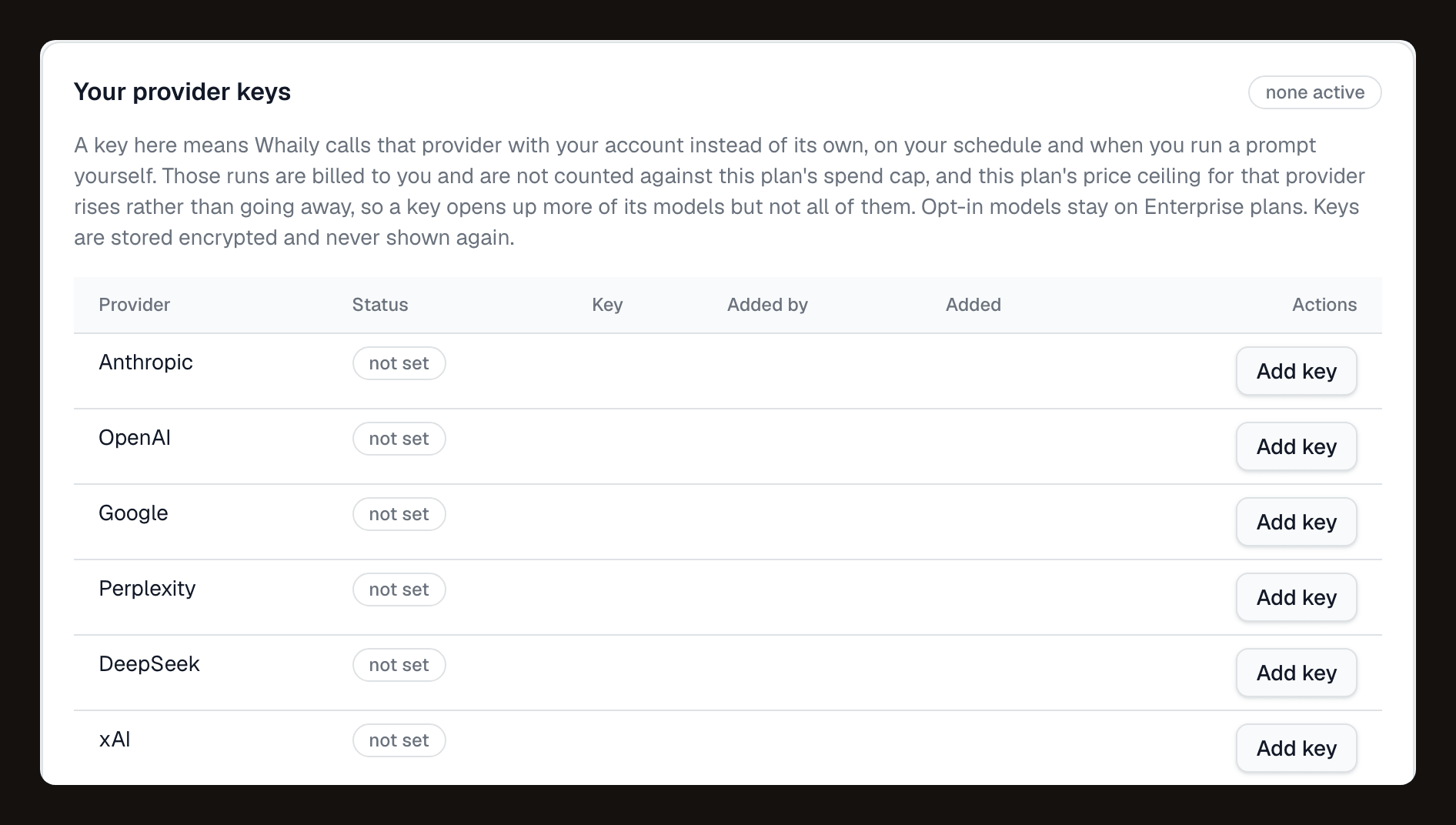
GrokAdd a key per provider, owner only.
Anthropic, OpenAI, Google, Perplexity, DeepSeek and xAI each get their own slot. A key is validated the moment you save it.
The problem
A shared spend cap is fine, until you need more of your own budget.
Every plan on Whaily comes with a spend cap that covers model calls run on our accounts. That works well for most teams, but a developer testing a new prompt set, or an agency running many client brands, sometimes wants runs billed straight to their own provider account instead, with their own limits and their own visibility into cost. Bring your own keys gives you that path without changing anything else about how the product works.
How it works
From sign-up to signal in minutes.
Add a key for any of six providers
Go to your keys settings and add a key for Anthropic, OpenAI, Google, Perplexity, DeepSeek or xAI. Only the organisation owner can add or remove a key. Whaily validates the key on save before it is accepted.
The key is encrypted and never shown again
Once saved, the key is encrypted at rest with AES-256-GCM and is never returned to the browser again, not even to the owner who added it. You can revoke it at any time, which stops it from being used immediately.
Runs on your key bill your provider, not your Whaily cap
Once a key is active, prompt runs on that provider are billed by your provider account and do not count against the Whaily spend cap. Adding a key also raises the price ceiling of models your plan can reach, for example Pro reaching Opus with an Anthropic key. It does not change your plan's availability stage.
What you get
Everything you need, in one place.
40 percent off every plan
On your own keys every plan and every prompt step is priced 40 percent below the same plan on Whaily's keys. The pricing page shows both prices on every card.
Six providers, one settings tab
Anthropic, OpenAI, Google, Perplexity, DeepSeek and xAI. Add, replace or revoke any of them from the same place, owner only.
Validated on save
A key is checked against the provider before it is accepted, so you find out immediately if it is invalid rather than on the next scheduled run.
Encrypted, never shown again
Keys are encrypted at rest with AES-256-GCM and never returned to the browser after they are saved. Revoke a key at any time and it stops being used right away.
Raises your price ceiling, not your plan stage
A key lets your plan reach higher-cost models within your tier, for example Opus on Pro. It does not open up a feature stage your plan does not have.
Key health you can actually see
If a key fails, whether from no credit, an invalid key, a quota limit or rate limiting, the app shows the failure class, how many runs it hit, and when, both on the overview and on the keys tab.
Your budget, your burst
Runs on your own key cost you less per run in a burst, because the tokens are yours directly rather than routed through the shared spend cap.
Why it matters
Your provider relationship stays yours.
Some teams already have a provider relationship they want to keep in one place: a negotiated rate, a specific spend limit, or a compliance requirement about where tokens are billed. Bringing your own key means Whaily calls the model using your credentials, your provider invoices you directly, and that spend never touches the shared cap that comes with your plan. For a developer or an agency running many brands, that separation matters, because it means the cost of scale is a conversation with your provider, not a conversation about upgrading your Whaily tier.
A key also changes which models you can reach. Every plan has a price ceiling, the most expensive model class it can call by default. Adding a provider key raises that ceiling within your tier, so for example a Pro plan can reach Opus once an Anthropic key is added, even though Opus is otherwise an Enterprise-only default. What a key does not do is change your plan's availability stage. If a feature is gated by plan rather than by model cost, a key will not open it up.
It is worth being honest about what bring your own key does not do. It does not make Whaily free, and it is not meant to. The platform still runs the scheduling, detection, scraping, analysis and storage behind every prompt, whether the model call itself is billed to us or to you, and your plan covers that work. What a key buys you is a plan price 40 percent lower, control over the token bill and a higher price ceiling, not a way around the product itself.
Questions
The short answers.
Which providers can I bring a key for?+
Does bring your own key make Whaily free?+
What happens to spend on my own key?+
Does a key give access to every model on every plan?+
How do I know if my key stops working?+
Is my key visible to anyone after I save it?+
Ready to be recommended by AI?
Start free. See your first insights in minutes.