
Integrations
Build on Whaily with a REST API and an MCP server
Whaily gives you two programmatic ways in, a REST API and an MCP server, over the same bearer key and the same query layer as the dashboard. Add signed webhooks, Slack alerts and CSV export for the rest of the picture.
 ChatGPT
 Claude
 Gemini
 Perplexity
 DeepSeek
 Grok
GrokThe problem
A dashboard number and an API number should never disagree.
A lot of platforms ship an API that lags the dashboard, or an assistant integration that answers from a different calculation than the page a person is looking at. Whaily's REST API and MCP server both call the same query modules the app itself uses, so a number from a script, a number from an AI client and a number on screen are one statement, not three. The honest limits are narrower: the API answers for one brand only, and multi-client agency scoping and a few write actions are MCP-only for now.
How it works
From sign-up to signal in minutes.
Mint a bearer key with a scope
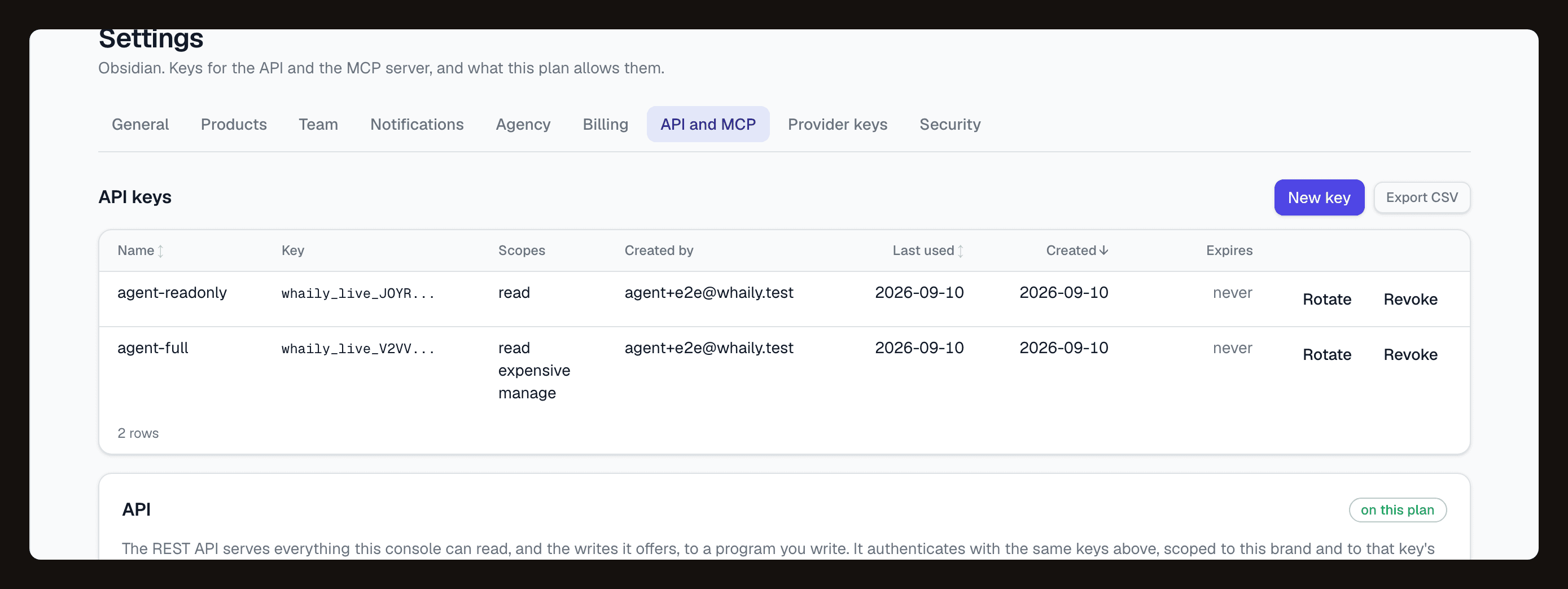
An owner generates a key from the API and MCP settings tab. The key carries scopes and is tied to your organisation, so it can only ever answer for that one brand, never another tenant, and every call it makes is written to an audit log.
Call the REST API directly, or connect an MCP client
Use the same key to call REST API v1 endpoints directly from your own code, or point Claude, Cursor or any MCP client at the MCP server for a conversational interface. Both surfaces read from the same query layer as the app, so the two never disagree with the dashboard or with each other.
Add webhooks, alerts and exports for the rest
Register a webhook endpoint for signed, retried delivery of events, set up Slack and email alert rules across sixteen event kinds, and export any list or matrix to CSV whenever you need a one-off.
What you get
Everything you need, in one place.
A REST API, 38 endpoints
Version 1 of the API covers 12 resource groups: prompts, responses and citations, competitors, sources and sightings, domains, rankings, share of voice, sentiment, recommendations, action items, the timeline, the brand audit and analyze. Available on Starter, Pro, Agency and Enterprise.
An MCP server, 81 tools
36 read tools cover every number and list the app renders, 44 manage tools create, edit and act on prompts, competitors and recommendations, and 1 expensive tool runs a prompt now, the only one that spends money. Works with Claude, Cursor or any MCP client.
One query layer, one answer
The REST API, the MCP server and the dashboard itself all read through the same query modules. A number from a script and a number on screen cannot drift apart, because nothing recalculates it twice.
One key, scoped and audited
The same bearer key works for both the API and MCP, carries scopes, rotates with a grace window, and revokes instantly. Every call is rate limited per key and per organisation, and every call is audited. The organisation always comes from the key, never from the request.
Signed webhooks with a delivery log
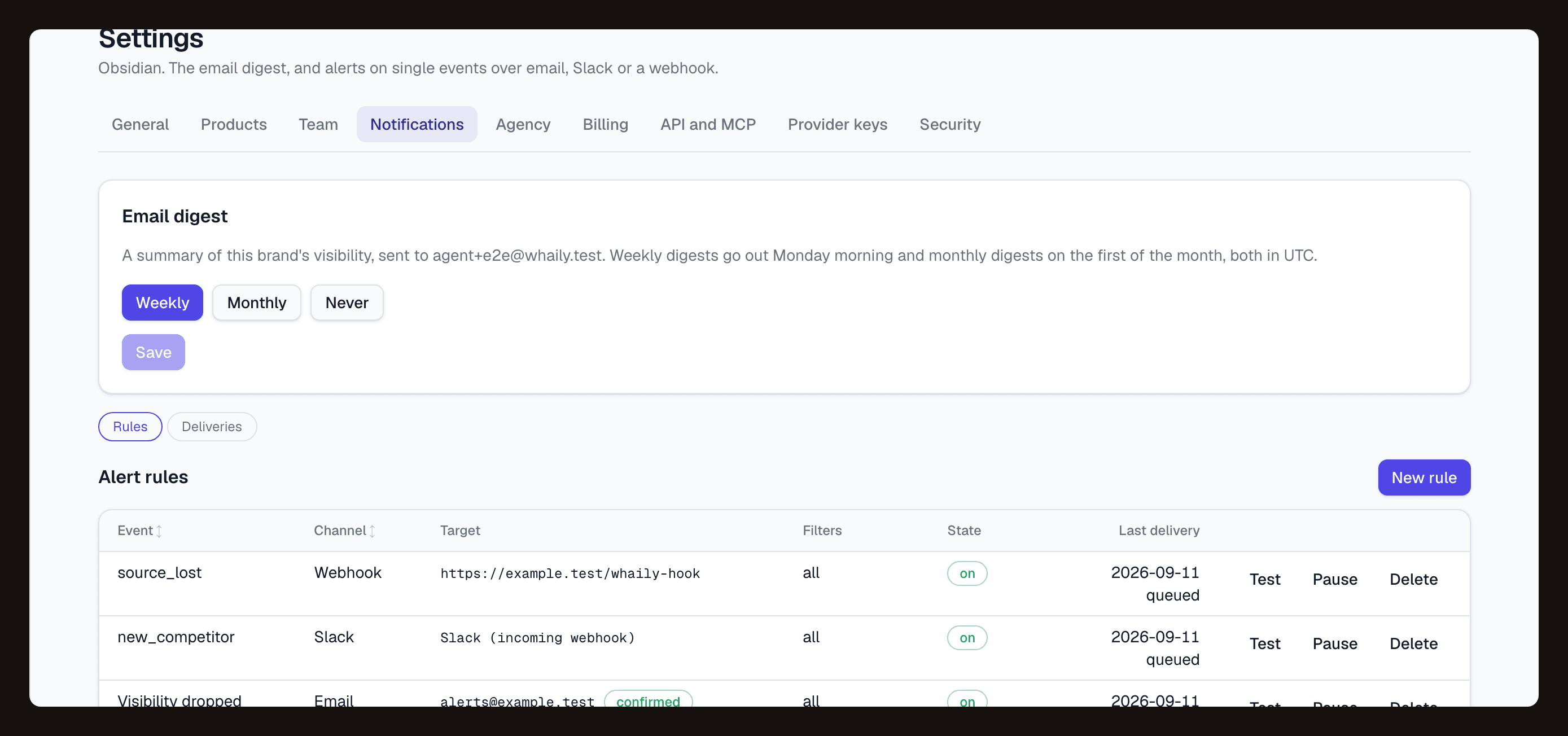
Webhooks are signed, carry an idempotency key, retry on a fixed schedule, and every delivery attempt is logged with its payload so you can see exactly what was sent and when.
Slack, email and CSV for the rest
Slack and email alert rules cover sixteen event kinds on a fifteen minute cycle. Every list and matrix exports to CSV, and snapshot share links freeze a period of the overview into a URL anyone can open.
One key, two ways to reach your data.
The same bearer key calls the REST API directly or connects an MCP client. Scopes, rate limits and the audit log apply to both, from one settings tab.
Why it matters
A REST API and an MCP server, reading the same layer as the dashboard.
Whaily's REST API, version 1, is built to be as complete as the dashboard itself: 38 endpoints across 12 resource groups, covering the organisation and its tags, prompts with their responses, citations and runs, competitors with trend and head-to-head comparisons, sources and sightings, domains and pages, rankings, share of voice with 95 percent Wilson intervals, sentiment, recommendations, the action-item board, the timeline, the brand audit, and analyze, a query endpoint for ad-hoc metric breakdowns. It is available on Starter, Pro, Agency and Enterprise, authenticated by the same bearer key type MCP uses, with no cookies and no CORS, so it is built for a server or a script to call, not a browser directly.
The MCP server covers the same ground through a different shape: 81 typed tools an AI client can discover and call directly, rather than a developer writing request and response handling by hand. 36 read tools mirror every number and list the app renders, 44 manage tools create, edit, pause, tag and import prompts, add competitors and convert recommendations into action items, and 1 expensive tool runs a prompt right now, the only tool in the set that spends money. Claude, Cursor and any other MCP-aware client can connect the same way. Both the API and MCP read from the same query modules the dashboard uses, so a number returned by a script, a number an assistant reports, and the number on the page are one calculation, never three.
Every key carries scopes, rotates with a grace window instead of an abrupt cutover, and revokes instantly, on either surface. Calls are rate limited per key and per organisation, and every call is written to an audit log, with the organisation always derived from the key itself rather than from anything a request names, which is what makes cross-tenant access impossible by construction. Two limits are worth naming plainly: the REST API answers for exactly one brand, the one on the key, so an agency reaching several client brands through one key does that through MCP's multi-client scoping today. A few write actions, like adding a note to the timeline, are also MCP-only for now.
Alert rules and webhook delivery, in plain view.
Set up Slack or email alerts across sixteen event kinds, or point a webhook at your own endpoint and watch the signed delivery log fill in as events fire.
Questions
The short answers.
Is there a REST API?+
What is the difference between the REST API and MCP?+
Can one key work for both the API and MCP?+
What can the MCP server do that the REST API cannot?+
How are API and MCP keys secured?+
What about alerts, webhooks and exporting my data?+
Ready to be recommended by AI?
Start free. See your first insights in minutes.